
One UI 8.5 vs 8.0: 5 Must-See Upgrades
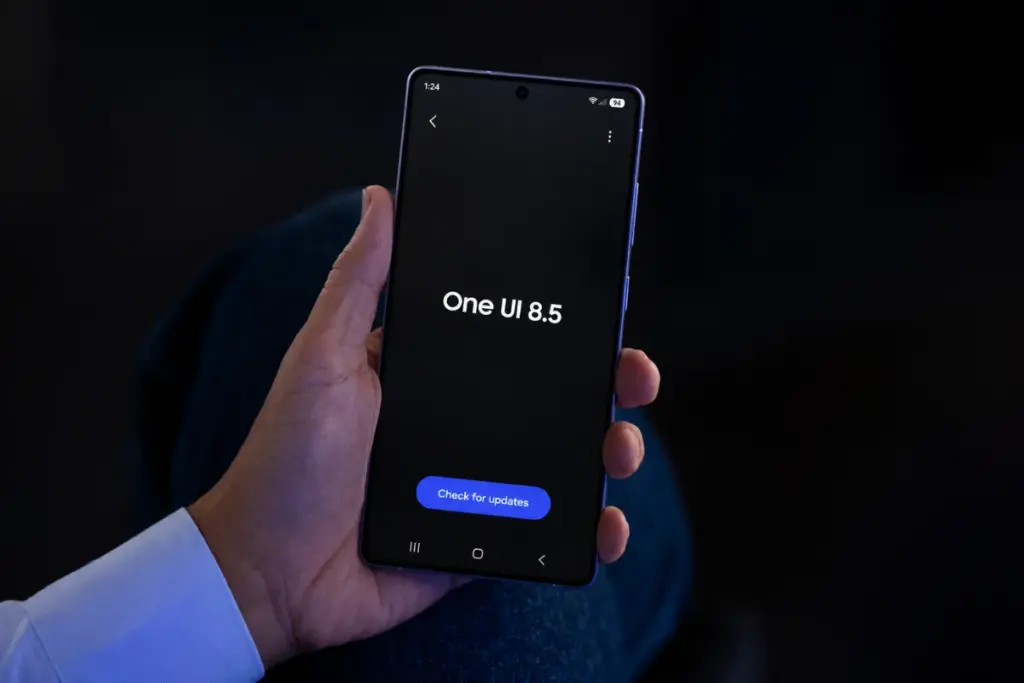
Samsung has recently begun rolling out the stable One UI 8.5 update globally, marking a significant step forward in user experience for Galaxy device owners. This update is now available for over a dozen Galaxy devices, with more models expected to receive it in the coming days and weeks. Whether you have already received the update or are still waiting, there are several key upgrades that make One UI 8.5 more than just an incremental improvement—it’s a meaningful enhancement that adds real value to your daily use.
1. Quick Panel receives its biggest upgrade in years
The Quick Panel has undergone a major transformation in One UI 8.5, offering users unprecedented levels of customization. Previously, the panel had strict limitations, but this update removes most of those restrictions. Now, users can drag, resize, and remove any slider, toggle, or widget on the panel. You can even change sliders from standard horizontal bars to vertical ones. Major interface elements like the media player, brightness, and volume sliders can also be adjusted in size.
In comparison, One UI 8.0 only allowed reordering of specific sections, and even then, it didn’t let users remove or reposition Smart View and Device Control tiles. With One UI 8.5, the Quick Panel becomes a highly personalized space, allowing users to completely remove all sections and tiles for a minimalist layout.
2. Floating tab bar gives modern aesthetics
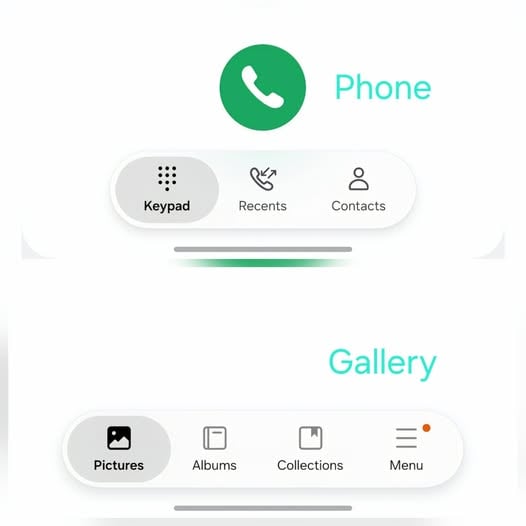
One UI 8.5 introduces a new design element known as the “Floating tab bar,” replacing the traditional bottom navigation bar. This pill-shaped UI element features a translucent matte appearance and a smooth gradient blur. Unlike the previous navigation bar, the floating tab bar is not fixed to the edges of the screen. Instead, it dynamically floats above the on-screen content, providing a premium aesthetic and better one-handed reachability.
Samsung has implemented this floating tab bar in several of its first-party apps, such as Phone, Gallery, and Samsung TV Plus. Third-party developers have also started integrating this modern design into their applications, aiming for a more unified user experience across the ecosystem.
3. Galaxy AI becomes a lot more useful
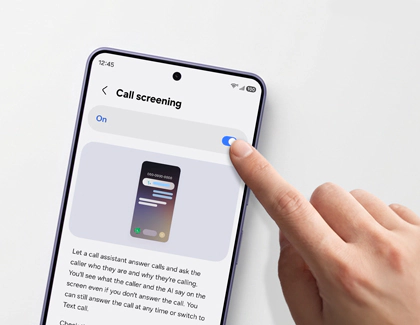
Samsung continues to enhance its AI capabilities with each software update, and One UI 8.5 brings notable improvements to Galaxy AI. One of the standout features is the “Call screening” function within Call Assist. This feature allows the AI to automatically answer calls and ask the caller why they are calling. Even if the AI answers, users can still speak to the caller at any time or switch to a text-based call. This is particularly useful for filtering spam calls and avoiding unwanted interruptions when busy.
Additionally, Photo Assist has been upgraded to allow users to edit photos using AI without having to save each version. A history button at the top-right corner lets users view past generations of edits. The Sketch to image feature has also been replaced with a more versatile Create tab, enabling users to modify backgrounds or add objects using descriptive text prompts instead of drawing them manually.
However, Galaxy AI is currently limited to high-end Galaxy devices due to hardware constraints.
4. Seamless file sharing with Apple devices via AirDrop support
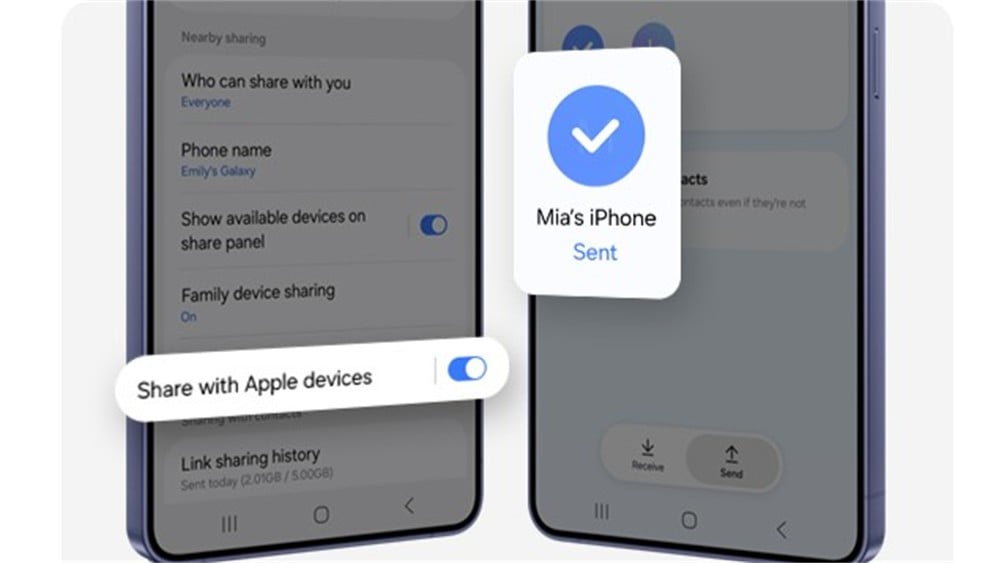
One UI 8.5 finally simplifies file sharing between Android and Apple devices by making Quick Share compatible with Apple’s AirDrop. This means users can now share files with Apple devices with just a few clicks. To enable this feature, go to Settings > Connected devices > Quick Share and turn on Share with Apple devices. On your Apple device, navigate to Settings > AirDrop, tap Everyone for 10 minutes, and start sending files.
This integration eliminates the complexities that have existed between Android and iOS for years, making cross-platform file sharing more straightforward and efficient.
5. More lock screen customizations
One UI 8.5 takes lock screen customization to the next level. While One UI 8.0 already offered rich options, this update goes further by automatically adjusting the placement of people and pets around the clock and widgets for a perfect fit. Users can now preview and apply live weather effects directly from the wallpaper preview screen.
If you haven’t received the One UI 8.5 update yet, check Settings > Software updates > Download and install to manually check for updates. For the latest details, visit the Samsung section regularly, or join our Telegram channel for instant alerts.
Post a Comment for "One UI 8.5 vs 8.0: 5 Must-See Upgrades"