
Dell XPS 14 (2026) Review: A Timeless Laptop That's Hard to Put Down
Dell XPS 14: A Premium Thin-and-Light Laptop with Strong Performance
The Dell XPS 14 continues to be a standout in the thin-and-light laptop category, offering a blend of design, performance, and usability that justifies its premium price tag. With an MSRP of $2,879.99, this machine is definitely not for everyone, but for those who prioritize both aesthetics and functionality, it delivers a compelling package.
Design: Sleek and Sophisticated
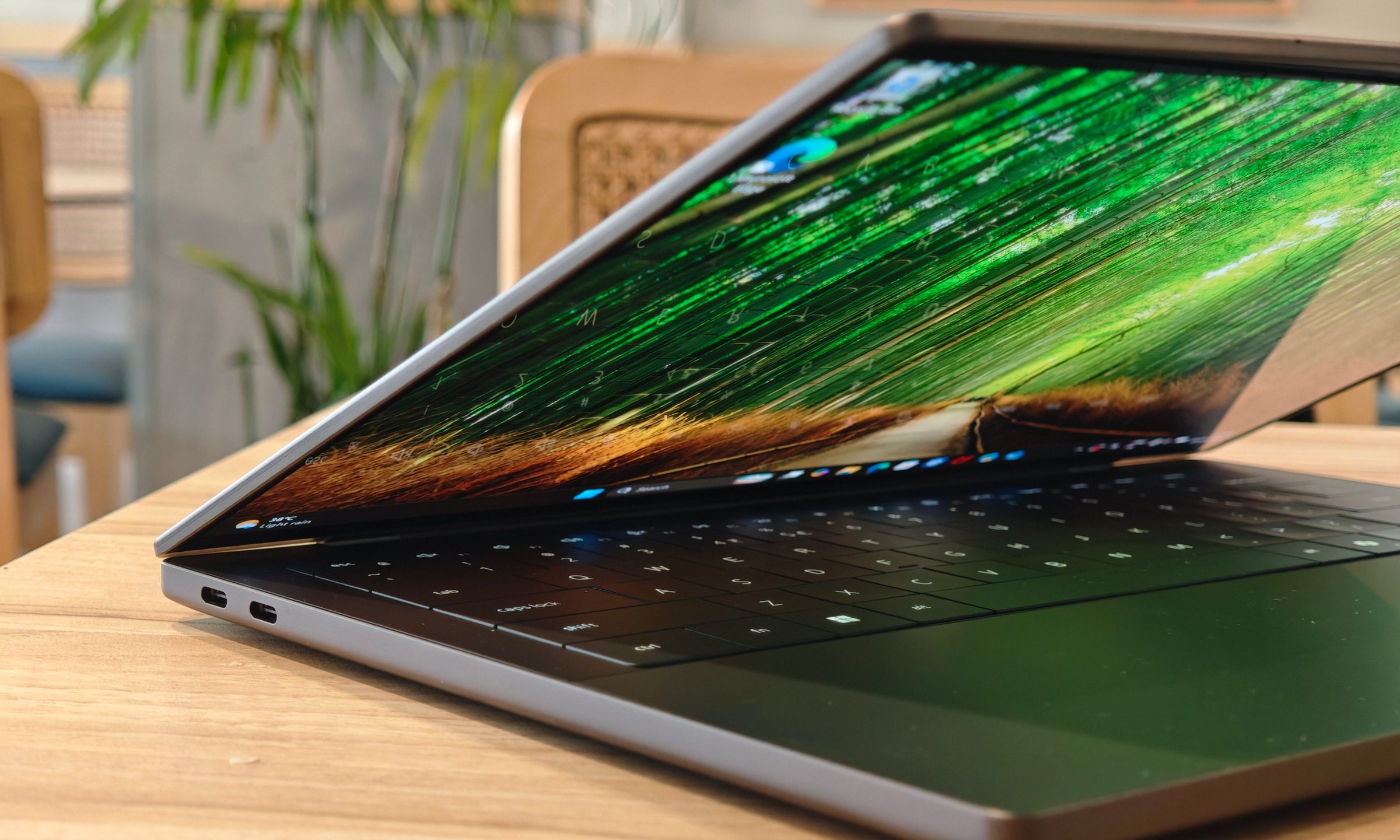
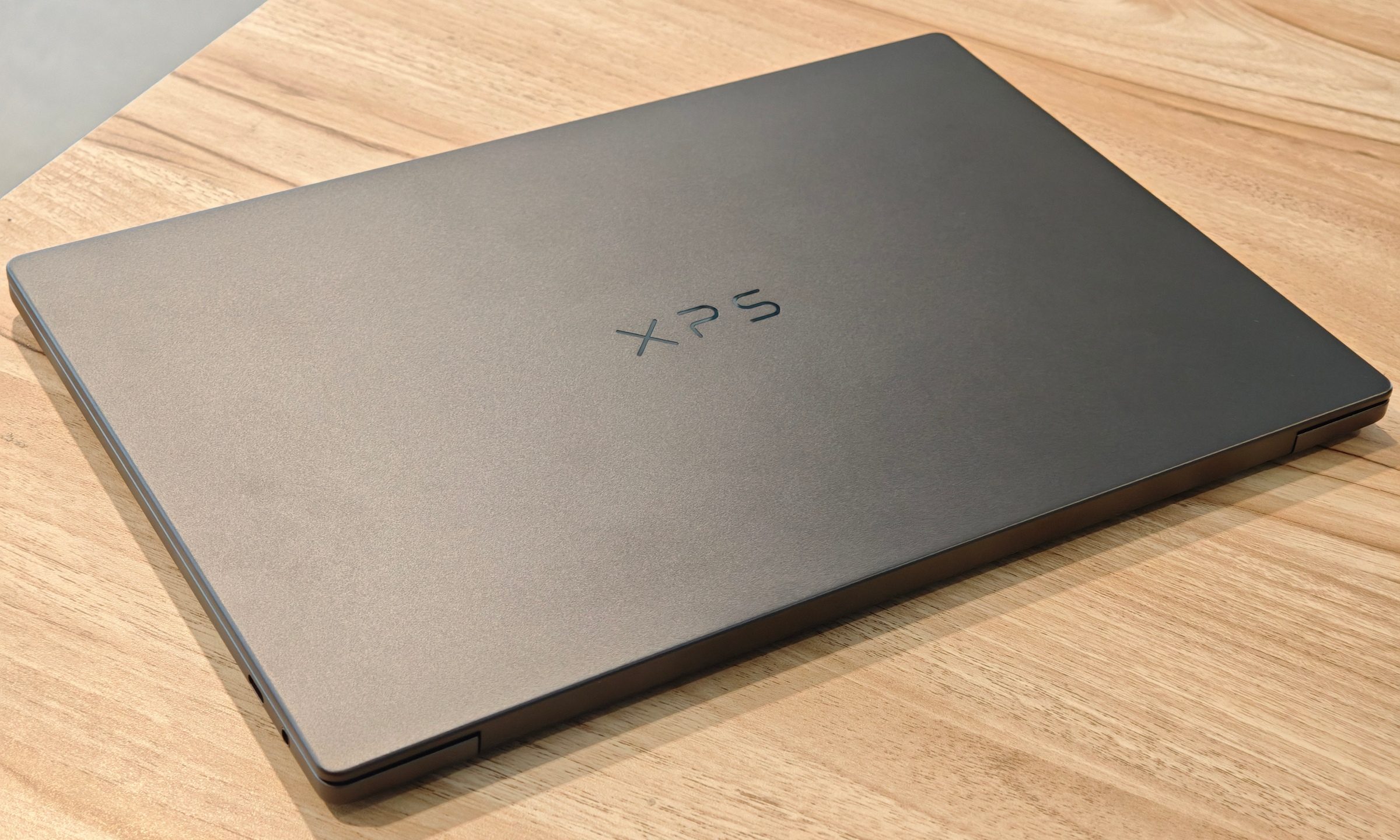
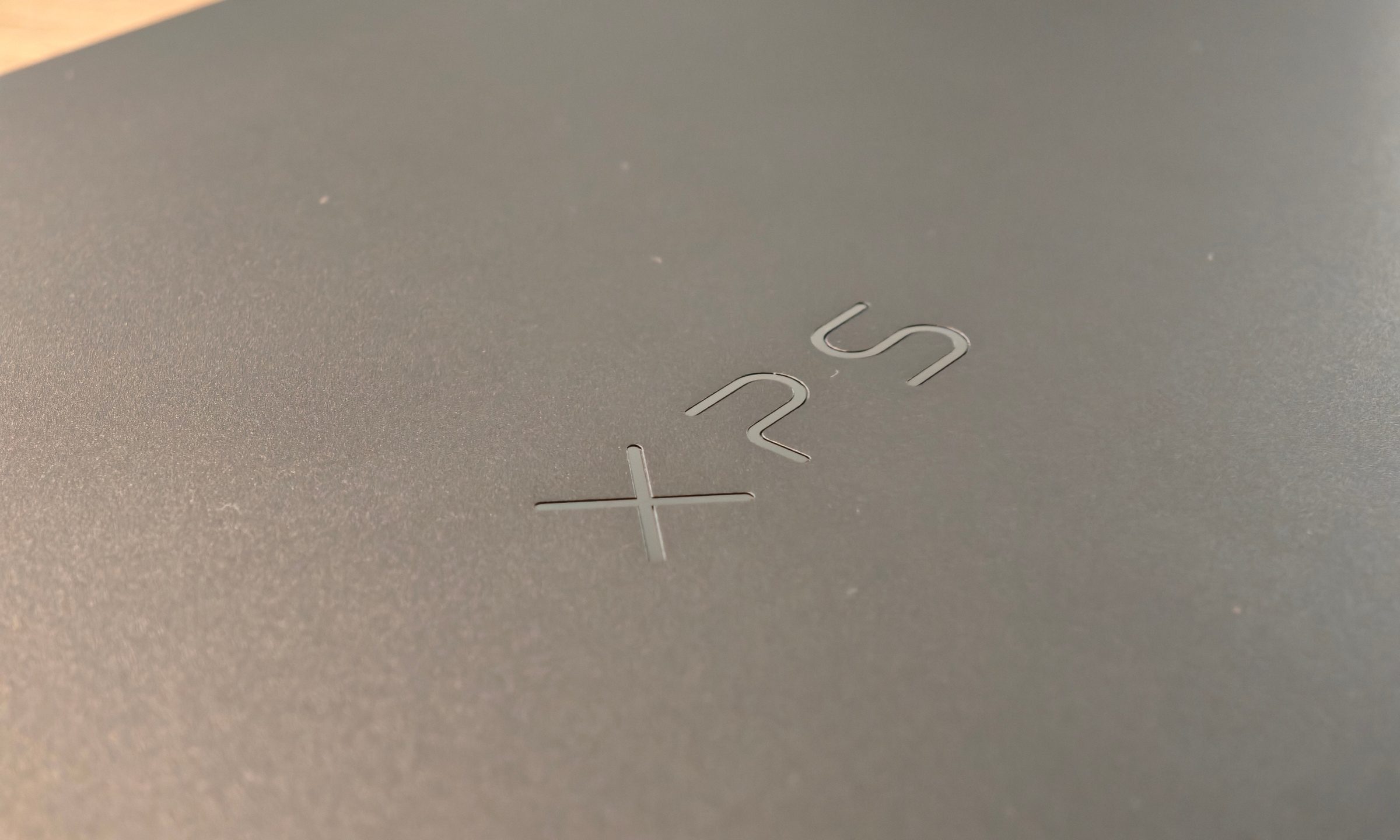
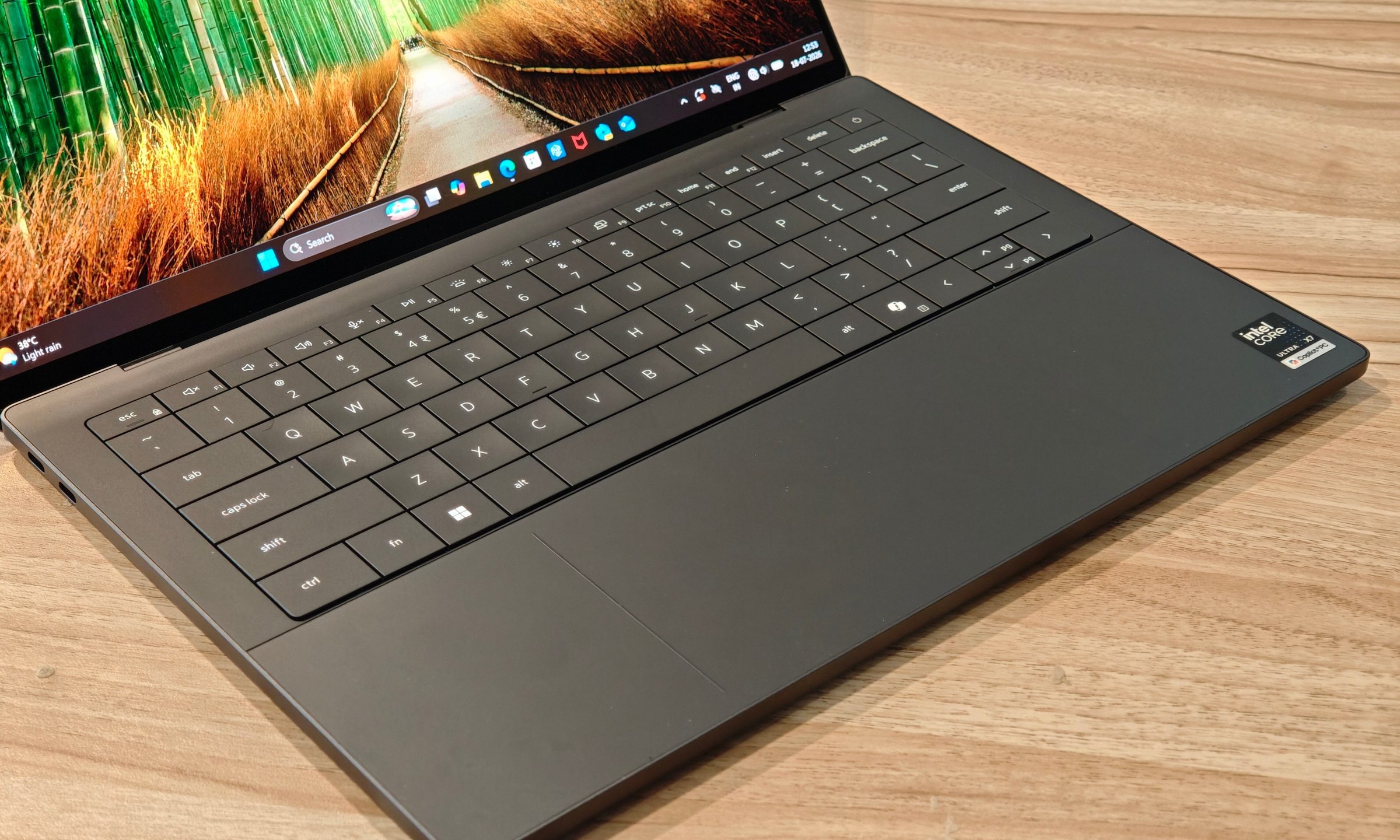
The XPS 14 features a CNC aluminum chassis that exudes a sense of durability and elegance. The graphite finish adds a touch of sophistication, making it stand out among other laptops. At 3 pounds, or about 1.36kg, it's slightly heavier than some competitors, but it remains manageable for daily use. The hinge is robust, though it feels a bit stiff when opening. The lid lacks a proper grip indent, which makes the opening process less smooth than expected. Additionally, the smooth finish is prone to fingerprints, requiring constant cleaning to maintain its pristine look.

Despite these minor issues, the design is clean and understated, reminiscent of Apple’s MacBook lineup. The build quality is consistent, and the overall feel is premium. The laptop also performs well in terms of heat dissipation, with no significant hotspots during regular use.
Display: Vibrant and Responsive OLED
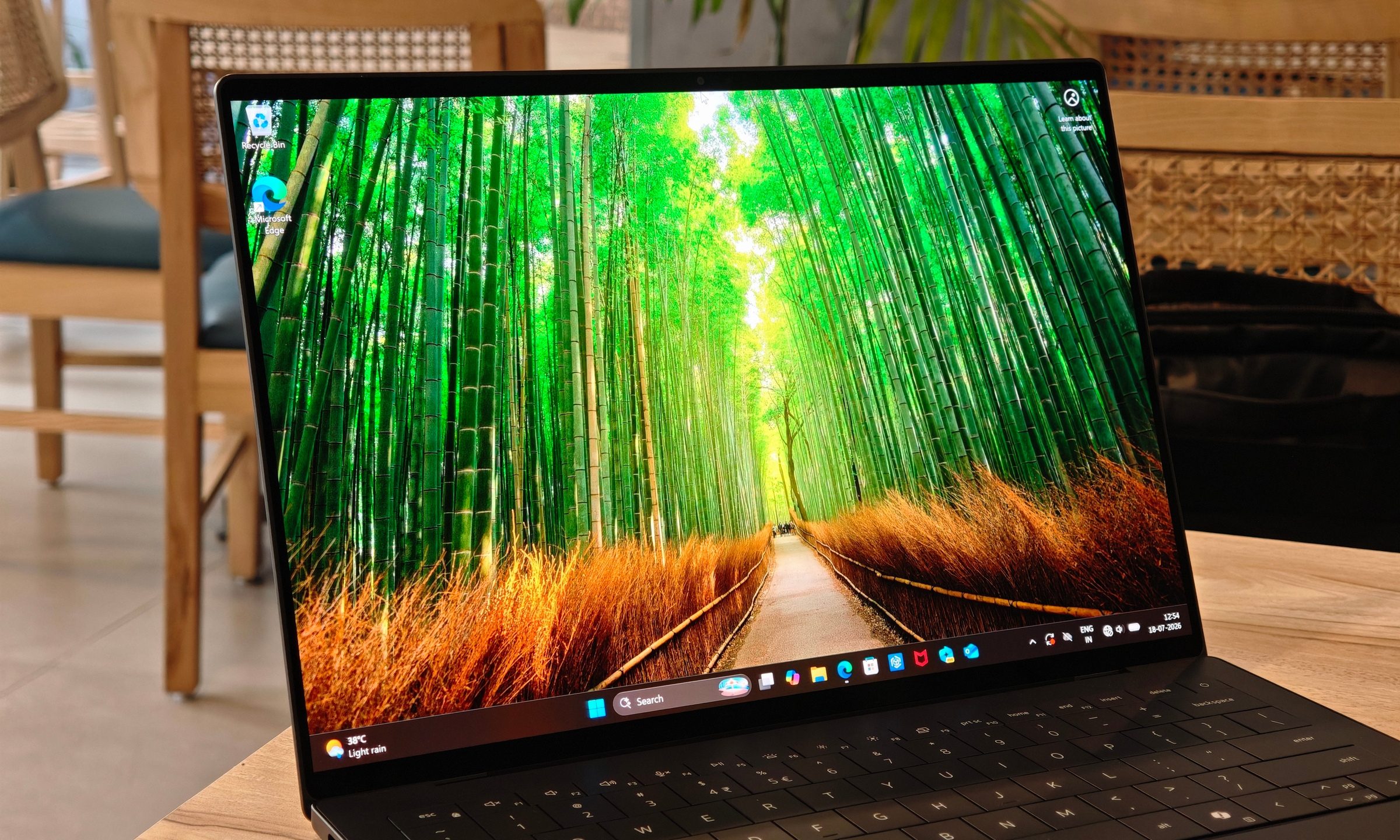
The 14-inch 2.8K OLED display is one of the XPS 14’s most impressive features. It offers vibrant colors, deep blacks, and a variable refresh rate of 20Hz to 120Hz, ensuring a smooth visual experience. While the brightness is good at up to 525 nits peak with HDR, it falls short compared to some competitors like the Zenbook S16 OLED. Reflections can be distracting in certain lighting conditions, but the panel still delivers excellent color accuracy and sharpness for creative work and media consumption.
HDR support enhances the viewing experience, making videos and content more immersive. However, the touchscreen layer may have impacted brightness, and a stronger anti-reflective treatment would have been appreciated given the high price point.
Keyboard and Touchpad: Stylish but Divisive
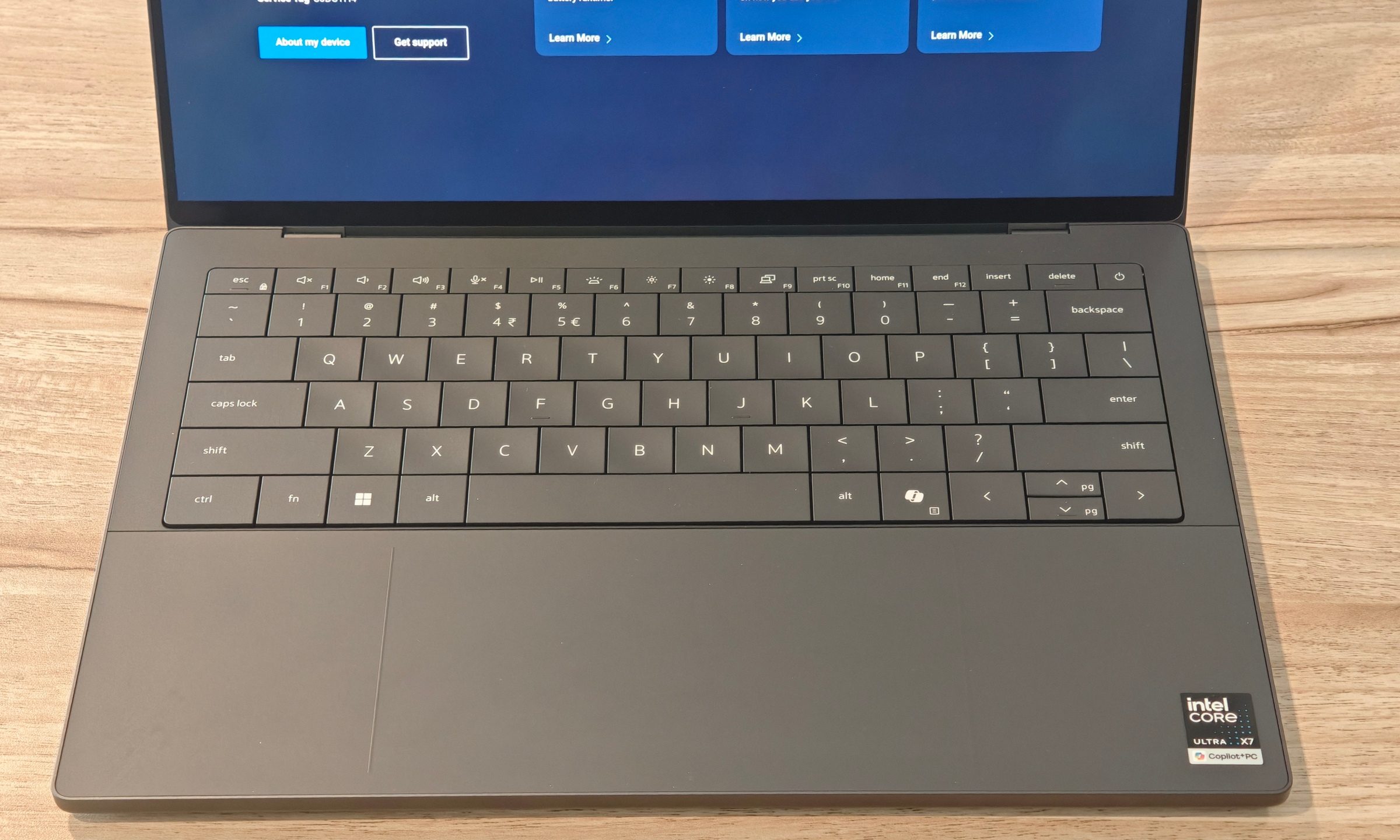
The keyboard on the XPS 14 looks modern and clean, with edge-to-edge keycaps that contribute to the premium aesthetic. However, the typing experience is somewhat mushy due to shallow key travel. Despite this, the keyboard remains comfortable for extended use, and the backlighting is adequate. The haptic touchpad is a standout feature, offering excellent responsiveness and precision. Its large size ensures that users never lose track of its edges, even with the near-invisible design.
Performance: Powerful for a Thin-and-Light Laptop
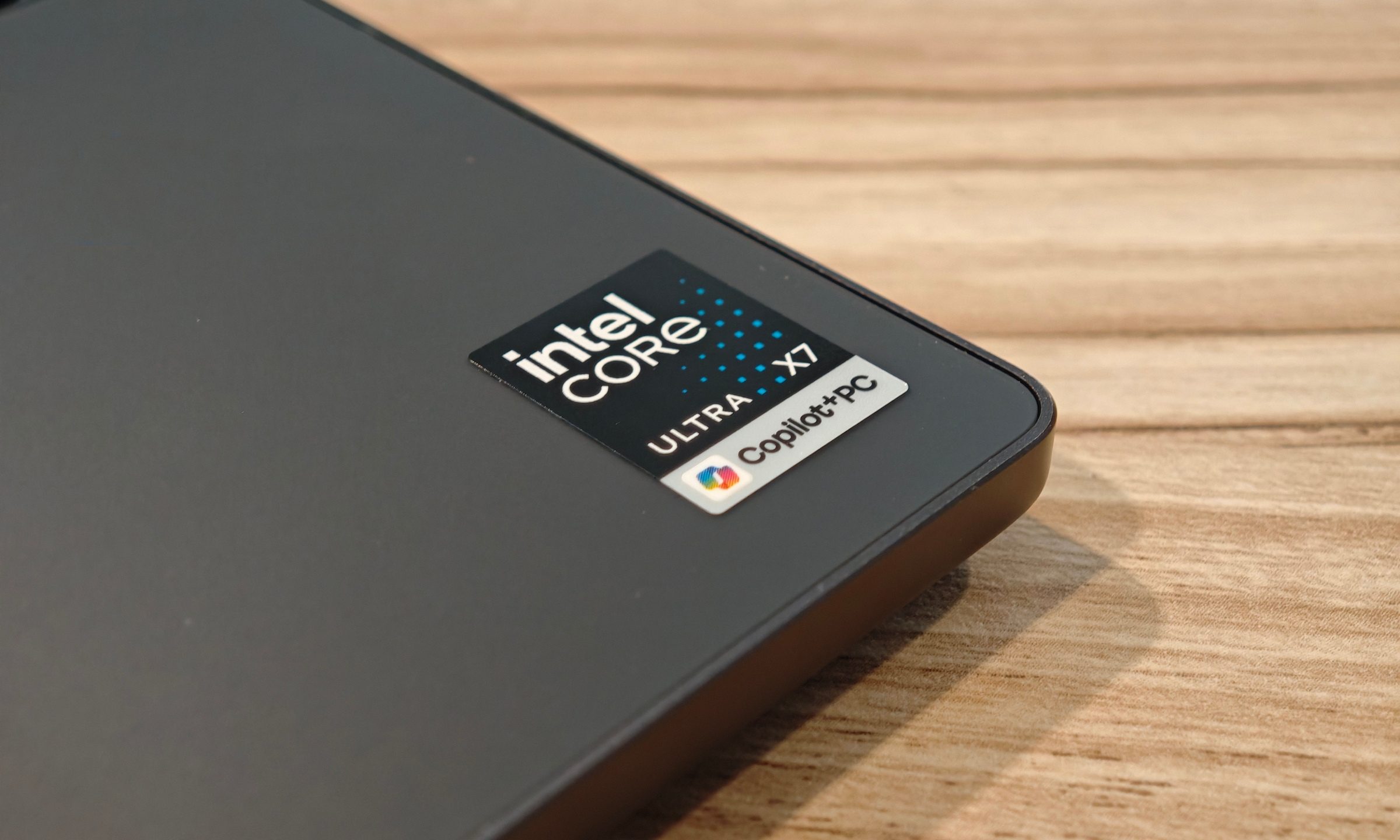
Powered by Intel’s Core Ultra X7 358H processor, 32GB of RAM, and a 1TB SSD, the XPS 14 delivers strong performance for productivity tasks. It handles multiple browser tabs, writing apps, and media playback with ease. The integrated Intel Arc B390 graphics also provide a noticeable boost over typical integrated solutions, making it capable of handling light gaming and creative workloads.

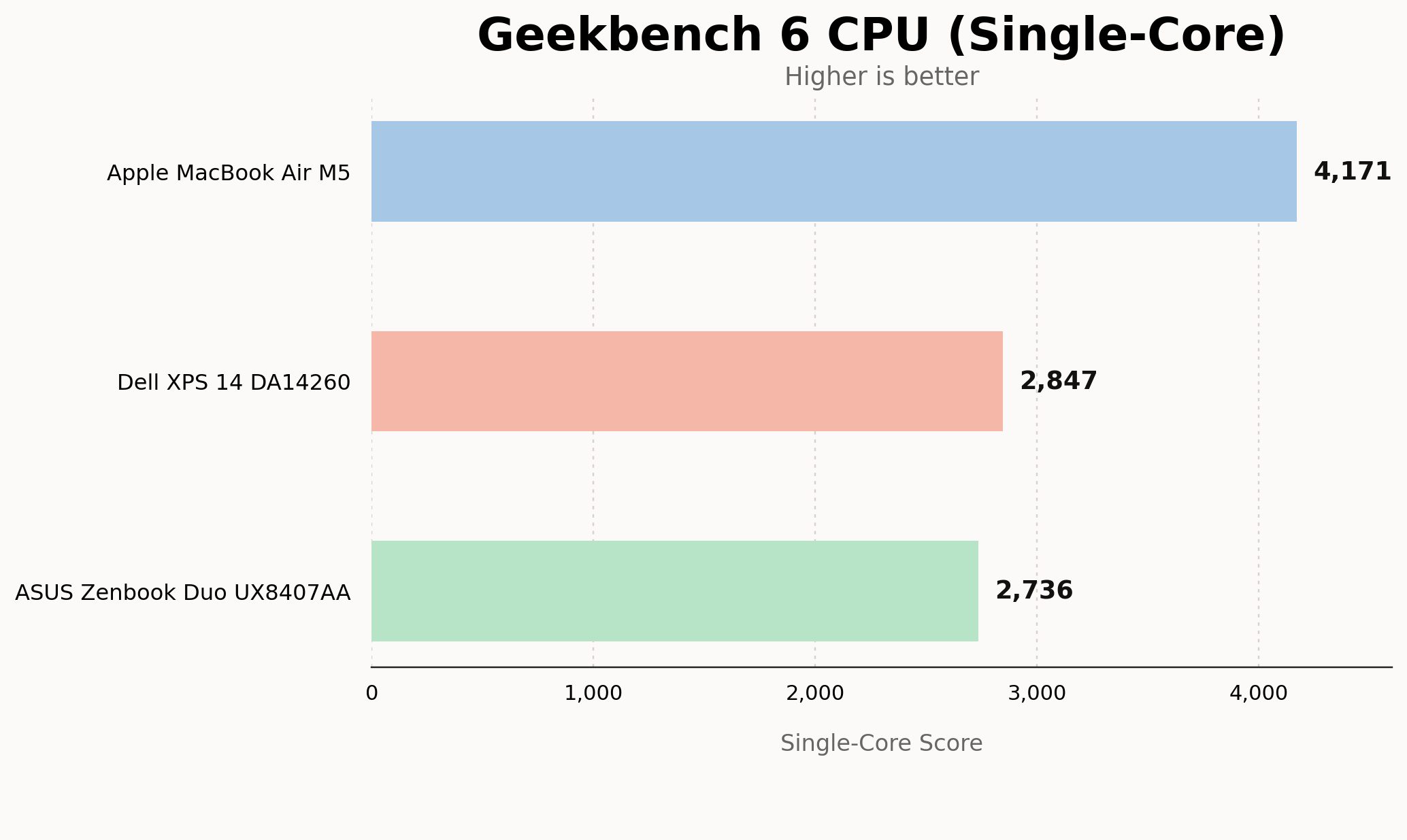
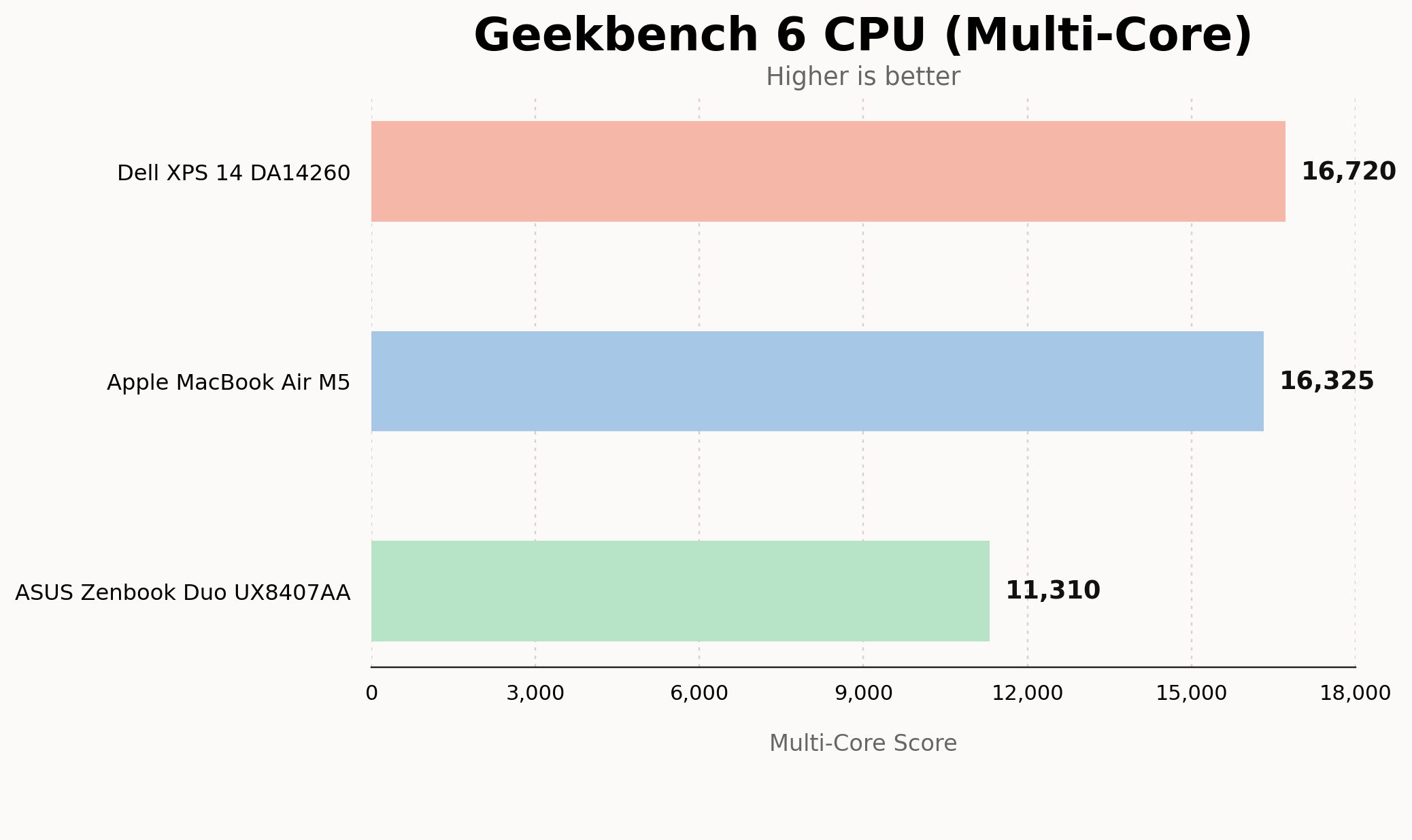
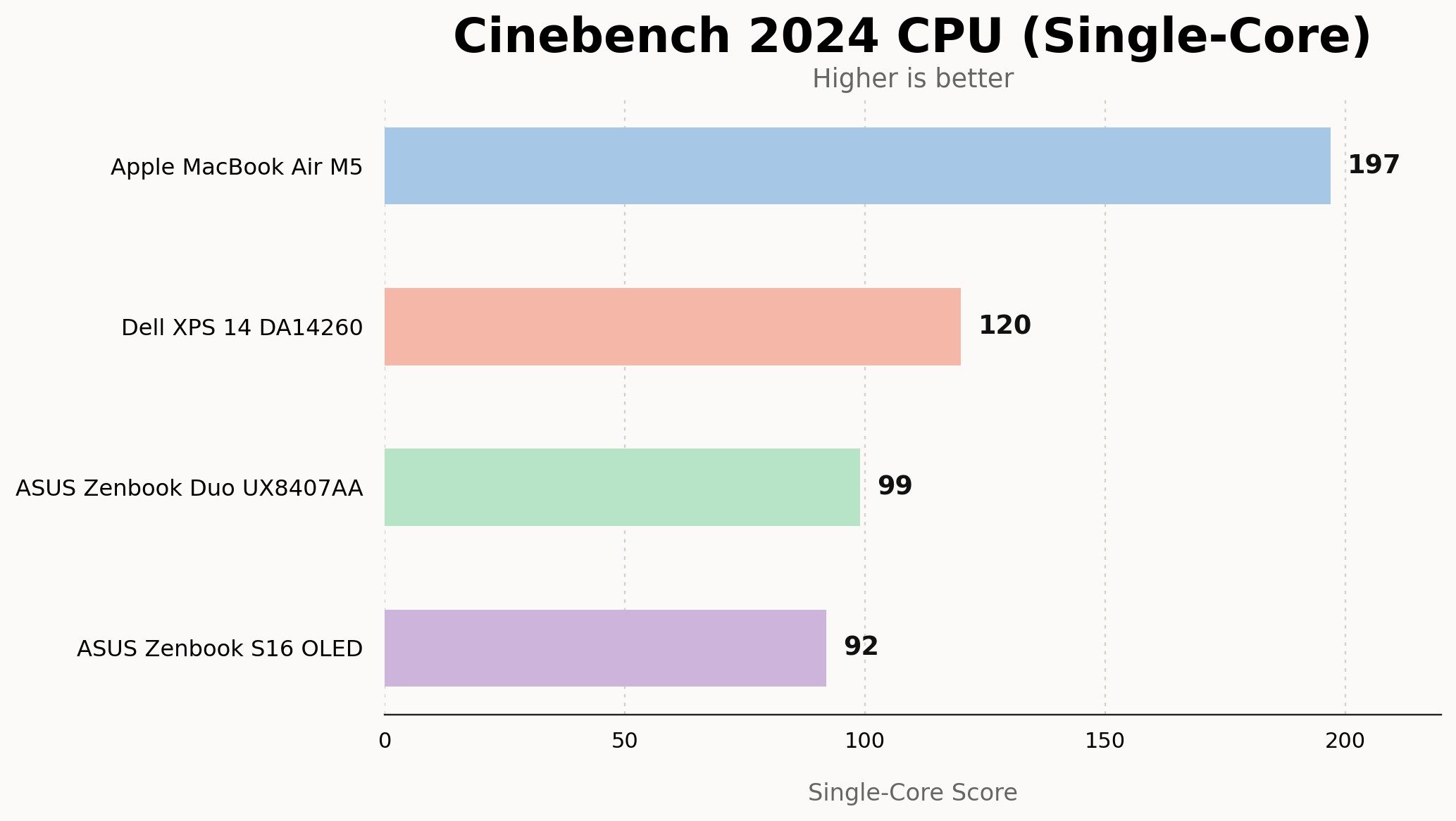
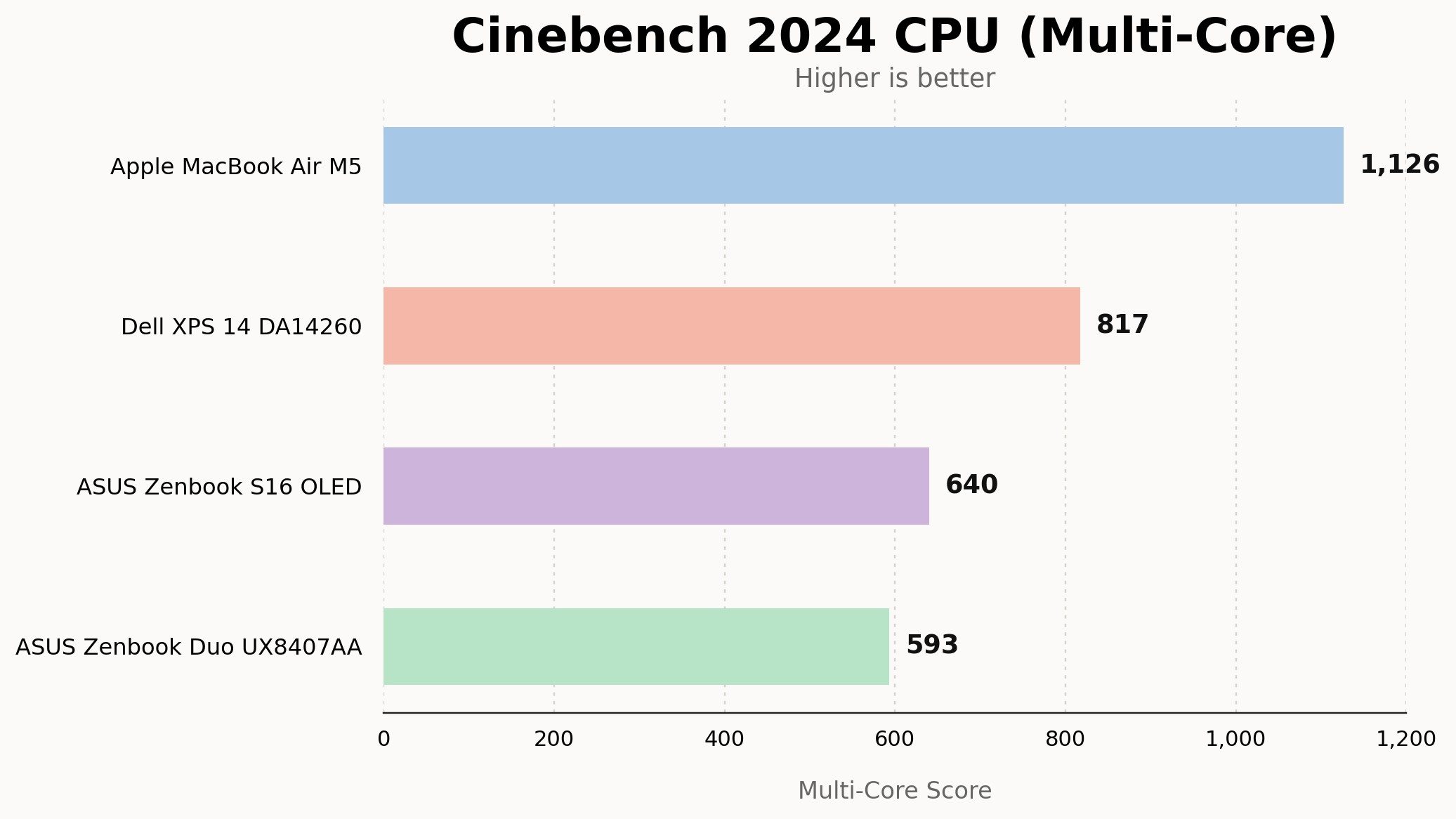
Benchmark tests show impressive results, with the XPS 14 outperforming several competitors in multi-core and synthetic performance. Storage speeds are also excellent, with fast read and write times that enhance overall system responsiveness. Thermals are well-managed, with the laptop remaining cool during regular use and only showing signs of heat under heavy load.
Battery Life: Long-Lasting and Reliable
Battery life on the XPS 14 is exceptional for a device of its class. With the display set to 70% to 80% brightness and HDR enabled, the laptop lasts around 13 hours of screen-on time. Video streaming and standby drain are also impressively low, making it a reliable all-day work laptop. While it doesn’t match the MacBook Air M5 in power efficiency, it still offers a solid balance between performance and endurance.
Speakers, Webcam, and Ports: Solid but Not Exceptional
The speakers on the XPS 14 are loud and clear, providing a decent audio experience for music and movies. They fall slightly behind the MacBook Air M5 in bass response, but they are still among the better options on a Windows laptop. The webcam is functional for video calls but lacks clarity in low-light conditions. Port selection is limited, with three Thunderbolt 4 USB-C ports and a universal audio jack. A single USB-A port would have been a welcome addition.
Software: Simple and Effective
Dell’s software experience is minimal and unobtrusive, offering basic controls for power profiles, fan speeds, and display settings. The laptop runs Windows smoothly without any major issues, and the overall user experience is stable and reliable.
Should You Buy the Dell XPS 14?
The XPS 14 is a premium laptop that caters to productivity users, writers, and creative professionals who value a color-accurate OLED display. While it’s expensive, it delivers on its promises in terms of design, performance, and battery life. However, it’s not ideal for gamers or those requiring a dedicated GPU for heavy workloads. For users looking for a high-end Windows laptop that balances style and functionality, the XPS 14 is a strong contender.
Alternatives to Consider
If you're looking for alternatives, the Apple MacBook Air M5 offers a tighter ecosystem and excellent battery life in a lighter package. The ASUS Zenbook S16 OLED provides a larger OLED display at a lower price, while the ASUS ExpertBook Ultra offers similar performance with a brighter Tandem OLED panel and superior anti-reflective treatment.
How We Tested
The review unit used for testing was the graphite 124DJ01 configuration, featuring an Intel Core Ultra X7 358H processor, 32GB of RAM, a 1TB SSD, and an Intel Arc B390 graphics card. The testing included a range of workloads, from heavy browser use to multimedia streaming, along with benchmark tests to evaluate performance and graphics capabilities.
Post a Comment for "Dell XPS 14 (2026) Review: A Timeless Laptop That's Hard to Put Down"