
I Built My Own LLM and It Became My Top Productivity Tool
A New Approach to AI in Daily Work
AI has become one of the most powerful tools I use every day. Whether I'm researching a topic, organizing notes, or solving technical problems, I rely on it multiple times throughout my workday. Initially, I used cloud-based AI services exclusively. However, I decided to try running a large language model (LLM) on my own PC to see if it could handle my daily tasks. I wasn't expecting a major change, but it quickly became the AI assistant I used the most. Self-hosting an LLM turned out to be one of the best productivity upgrades I've made.
Moving Beyond the Browser
Before I started self-hosting an LLM, using AI always meant opening a browser tab. I'd visit platforms like ChatGPT or Claude, sign in, choose a model, paste my prompt, and then move on when I was done. It worked well, but it always felt like I was visiting a service rather than using a tool that was part of my everyday workflow.
That changed after I set up Ollama with Open WebUI on my Windows PC. My system has an Intel Core Ultra 9 Series 2 processor, an Nvidia GeForce RTX 5070 GPU, 32GB of RAM, and a 1TB SSD, which is more than enough to run several local models smoothly. I regularly switch between DeepSeek 14B, Llama 3.1 8B, Qwen2.5-Coder 7B, and GPT-OSS 20B depending on the task.

The biggest difference isn't that these models outperform cloud AI. It's that they're always available. Open WebUI stays open like any other desktop application, so asking the AI a question takes just a few seconds. I don't think about internet connectivity, subscriptions, or message limits anymore. I simply open the app and start working.
That small change completely shifted how I use AI. Instead of treating it like a website I occasionally visit, it has become a permanent part of my desktop and one of the first tools I open every morning.
Integration with My Self-Hosted Setup
My local AI works with the rest of my self-hosted setup. It fits naturally into the tools I already use.
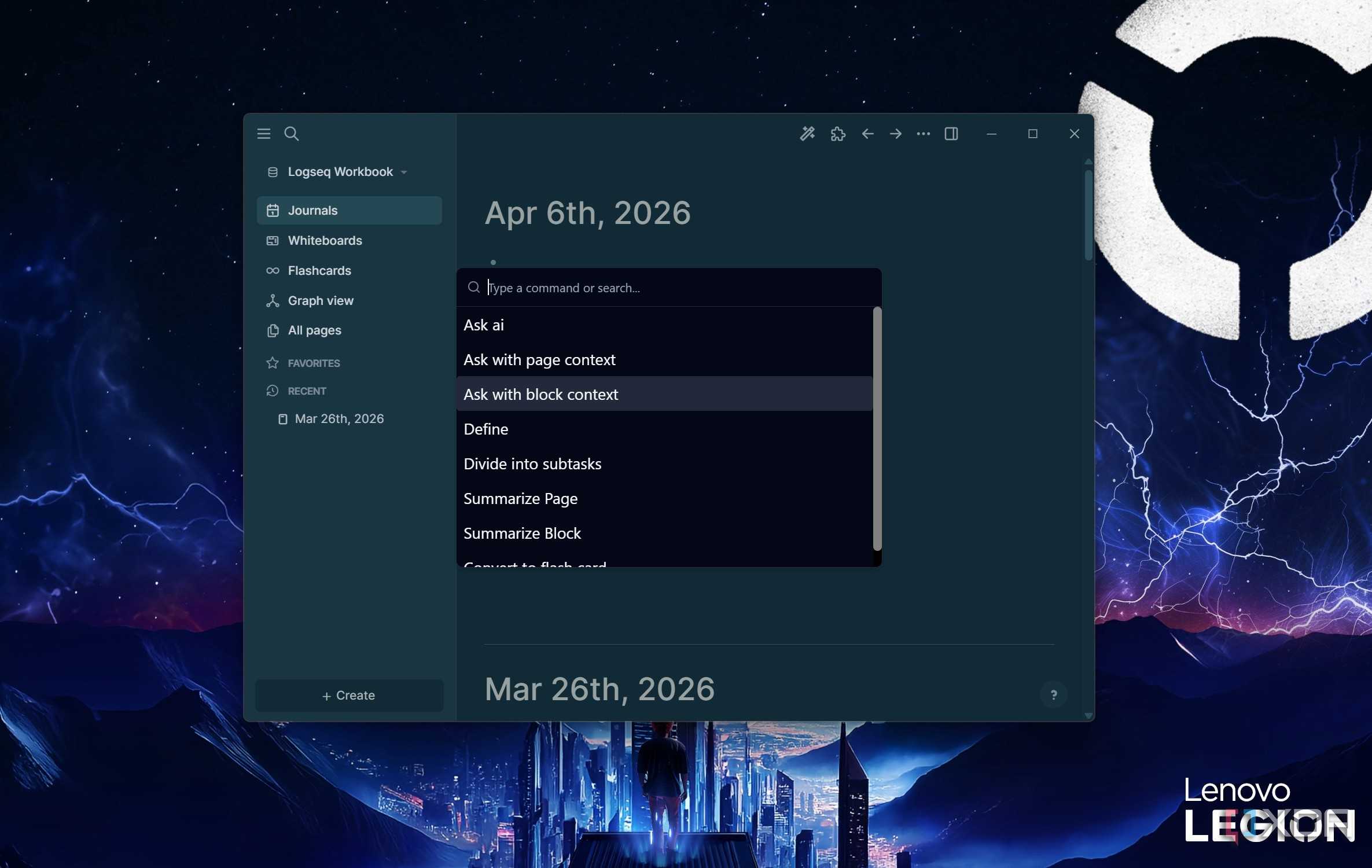
One reason my local LLM has become such a useful productivity tool is that it doesn't exist on its own. It works alongside the rest of my self-hosted setup, so AI feels like another part of my workflow instead of a separate service I have to visit.
I keep all my documents in Paperless-ngx. Whenever I need to understand a long manual, invoice, or technical document, I can quickly ask my local AI to summarize it or explain specific sections. It saves me from reading every page myself.
I use Obsidian and Logseq to manage research, blog ideas, and personal notes. Instead of searching through dozens of notes manually, I can ask the AI to summarize information, connect related ideas, or help me turn rough notes into an article outline. It's a much faster way to work with my knowledge base.
When I'm writing or experimenting with code in VS Code, the local model helps explain unfamiliar code, troubleshoot errors, or generate small snippets without sending anything to an online service. Even my Home Assistant setup benefits from it, whether I'm writing automations or understanding YAML configurations.
Because all of these tools are already part of my daily workflow, adding a self-hosted LLM didn't change how I work. It simply made every part of my existing setup faster, smarter, and much easier to use.
The Role of Cloud AI
Cloud AI still has its place. I use both, but for very different reasons.
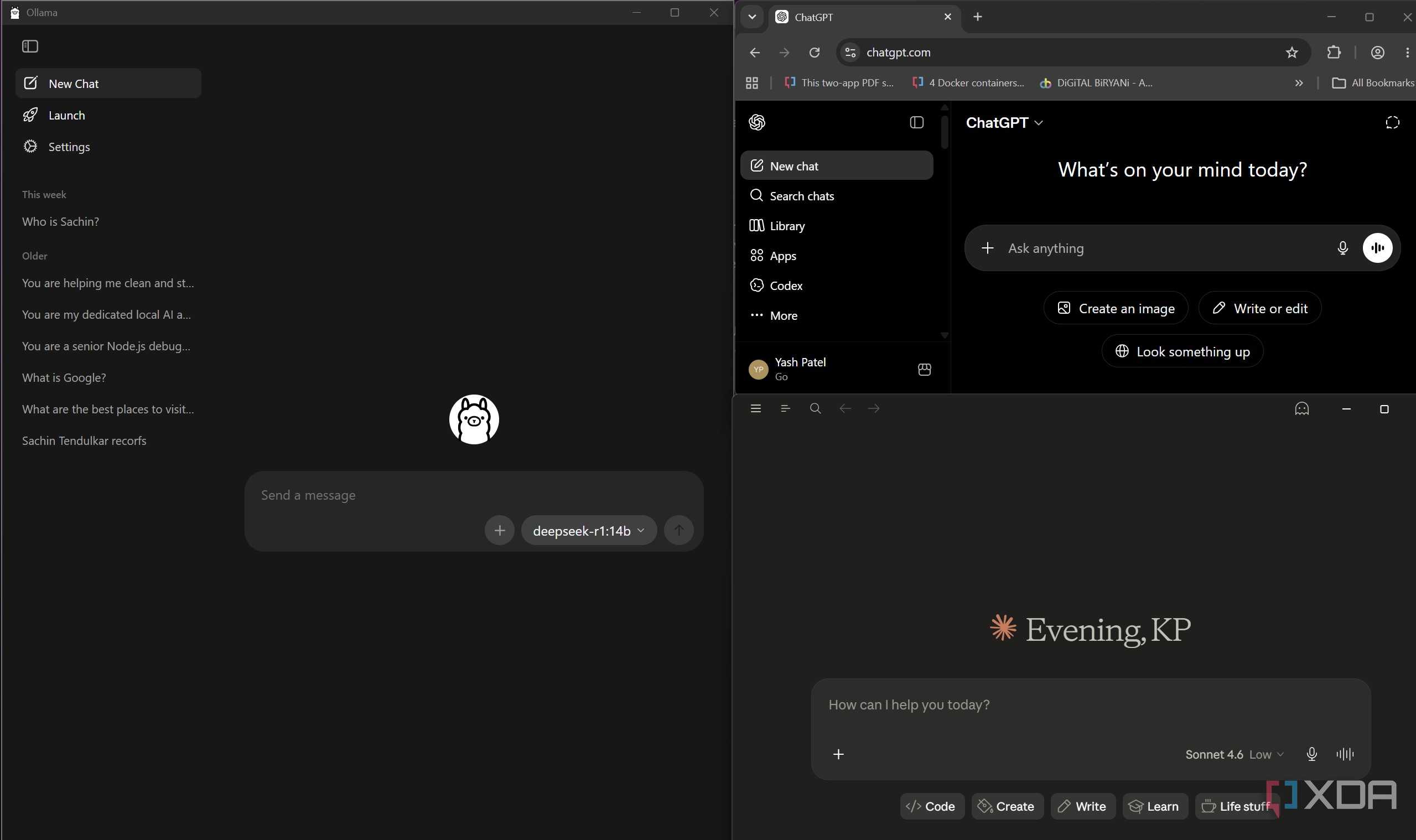
Self-hosting an LLM hasn't made me stop using cloud AI. I still rely on services like ChatGPT and Claude when I need their strongest reasoning capabilities, the latest models, or help with complex research and writing tasks. They're simply more capable for certain jobs, and I don't see that changing anytime soon.
The difference is that they no longer handle most of my everyday AI tasks. My local LLM has taken over the small, frequent jobs that make up a typical workday. Whether I'm summarizing documents, brainstorming blog ideas, explaining code, organizing notes, or asking quick questions, I almost always start with my local setup because it's faster and always available.
If the task turns out to be more demanding, I can always switch to a cloud model. That balance works well for me. I get the speed, privacy, and convenience of a self-hosted LLM for daily productivity while still having access to more advanced AI whenever I need it. Instead of replacing cloud AI, my local setup has simply become my default starting point.
The Unexpected Productivity Boost
At the end of the day, the biggest benefit of self-hosting an LLM isn't privacy or the satisfaction of running AI on my own hardware. It's the productivity boost that comes from having an AI assistant that's always available. I spend less time switching between apps, waiting for responses, or deciding whether a task is worth asking AI. Those small time savings add up over the course of a day.
While cloud AI still has an important place in my workflow, my local LLM has become the tool I use most often because it helps me get more done with less friction.
Post a Comment for "I Built My Own LLM and It Became My Top Productivity Tool"