
Before the major Google I/O 2026 event on May 19, Google organized a more specialized preview withThe Android Showthis week, it revealed several features that will be introduced to users through the Android 17 update.
There was a great deal to absorb, including a more active and tailored Gemini experience, but what really drew my attention was the Pause Point feature: the option to set 10-second timers that pop up before you launch specific apps.
The concept is that during those 10 seconds, you have the opportunity to reflect on whether you truly need to spend time scrolling through social media feeds or attempting to achieve a higher score in a game, and possibly step away to engage in something different.
I've been searching for methods to reduce the time I spend on my phone — and I believe Pause Point will be beneficial.
The issue: excessive interruptions
I already have a Do Not Disturb setting enabled on my phone during work hours, so it won't vibrate or alert me for every WhatsApp and Instagram notification that arrives.hijacks your brainfor seven seconds, by the way). Some particular contacts may cause a valid alert, but only a limited number.
However, whenever I grab my phone for any reason — perhaps to begin a podcast, track my water intake, or search for something — I end up tempted to quickly glance at X or Instagram, or check which WhatsApp groups have received another dozen new messages while I wasn't looking.
Twenty more minutes pass, and I haven't accomplished much worth mentioning when I finally set my phone aside again, although I might have stumbled upon a few amusing memes or online debates (which I'll likely soon forget).
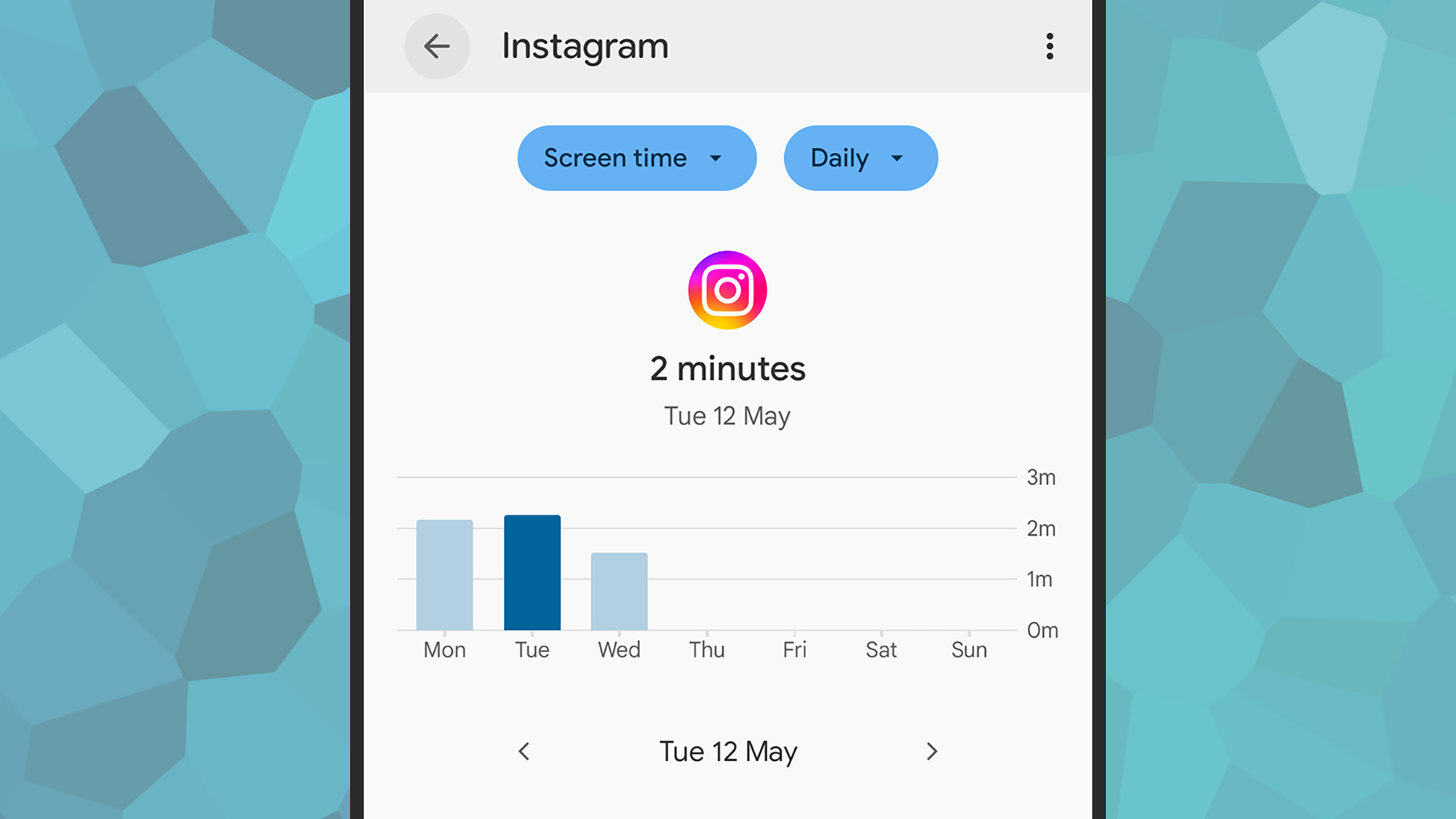
A lot is happening in all these apps constantly, but to be honest, much of it isn't really that significant. Still, I find myself drawn in — the last time I checked my screen time on Android (you can find it under Digital Wellbeing in Settings if you're curious), I was quite shocked — and this might offer some relief.
This doesn't imply there's anything fundamentally wrong with keeping in touch with friends or taking a break with a mobile puzzle game, but the problem arises when opening these apps becomes almost automatic. It's this unconscious app usage that Pause Point seeks to tackle.
Over the past few months (even though I can't recall the exact time they began), Android on my Pixel has started providing me with small notifications about the duration I've spent using specific apps each day, and according to Google's demonstration at The Android Show, it looks like Pause Point will expand upon this feature.
The fix? Pause Point
Clearly, Android 17 is still some time away, so I haven't had the opportunity to test Pause Point yet, but I'm impressed with what I've seen so far. We saw a demonstration of the feature at The Android Show, presented by Android Product Manager Alanna Veiga, and it appears to be straightforward and efficient enough to be functional.
Occasionally our phones can be quite a lotVeiga saidWhile examining the specifics of how Pause Point functions. "You open your phone to check the weather, and 45 minutes later you're scrolling without realizing how you got there."
Pause Point is designed to be positioned between the current app timers on Android—which are somewhat too simple to ignore—and more severe actions like completely removing apps or placing your phone in another room for a portion of the day (which I might also consider trying soon).
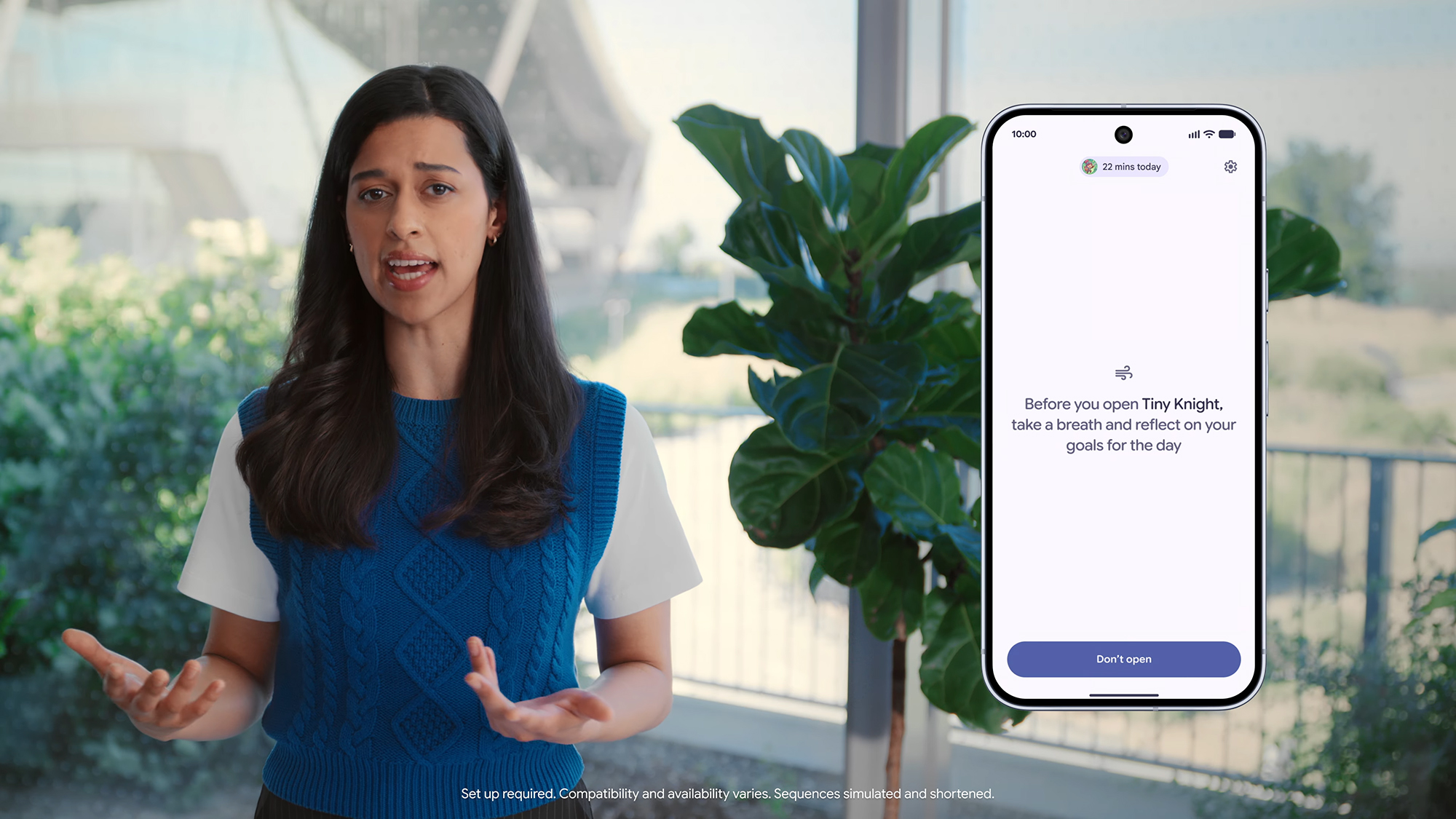
You have the option to label specific applications as distractions, and each time you launch one of these apps, a prompt will appear asking you to take a deep breath and think — and possibly decide not to use the app. You can also scroll through images on this screen, so photos of your pets or children might help you recognize that you don't want to spend more time on your phone.
Pause Point allows you to configure different app recommendations on the pause screen, enabling you to potentially open an e-book, practice some mindfulness, or record a walk instead of just diverting your attention. Additionally, you can configure Pause Point so that a reset is required before it can be turned off.
Google, I'm in for this — I'll at least give it a shot once Android 17 is released on Pixel devices. We should find out more about when the system update will be available.Google I/O 2026.
Liked this article? To discover more stories like this, follow us on MSN by clicking the +Follow button located at the top of this page.


No comments:
Post a Comment