
At first, staying updated on all things AI wasn't too challenging. The public release of ChatGPT by OpenAI sparked the initial excitement (even though companies had been working on similar technologies for years in secret), and at that time, the main thing you needed to do was monitor what OpenAI was adding to ChatGPT. Then one chatbot became two, then five, and now, just look at where we are.
Anthropic released Claude, Google launched whatever was called Bard and later introduced Gemini,Local LLMs have significantly improved, and all of a sudden, every week there was a new model. Keeping up stopped being a pastime and started feeling like a full-time responsibility. The one company that hasn't been slowing down lately is Anthropic. They've been releasing update after update, and I've been putting in extra hours testing each one. The one feature that'struly impressed me recently is Claude Design, and I have been using it non-stop. However, the more I utilize it, the more I recognize its significant drawbacks.
What is Claude Design?
The newest release from Anthropic Labs
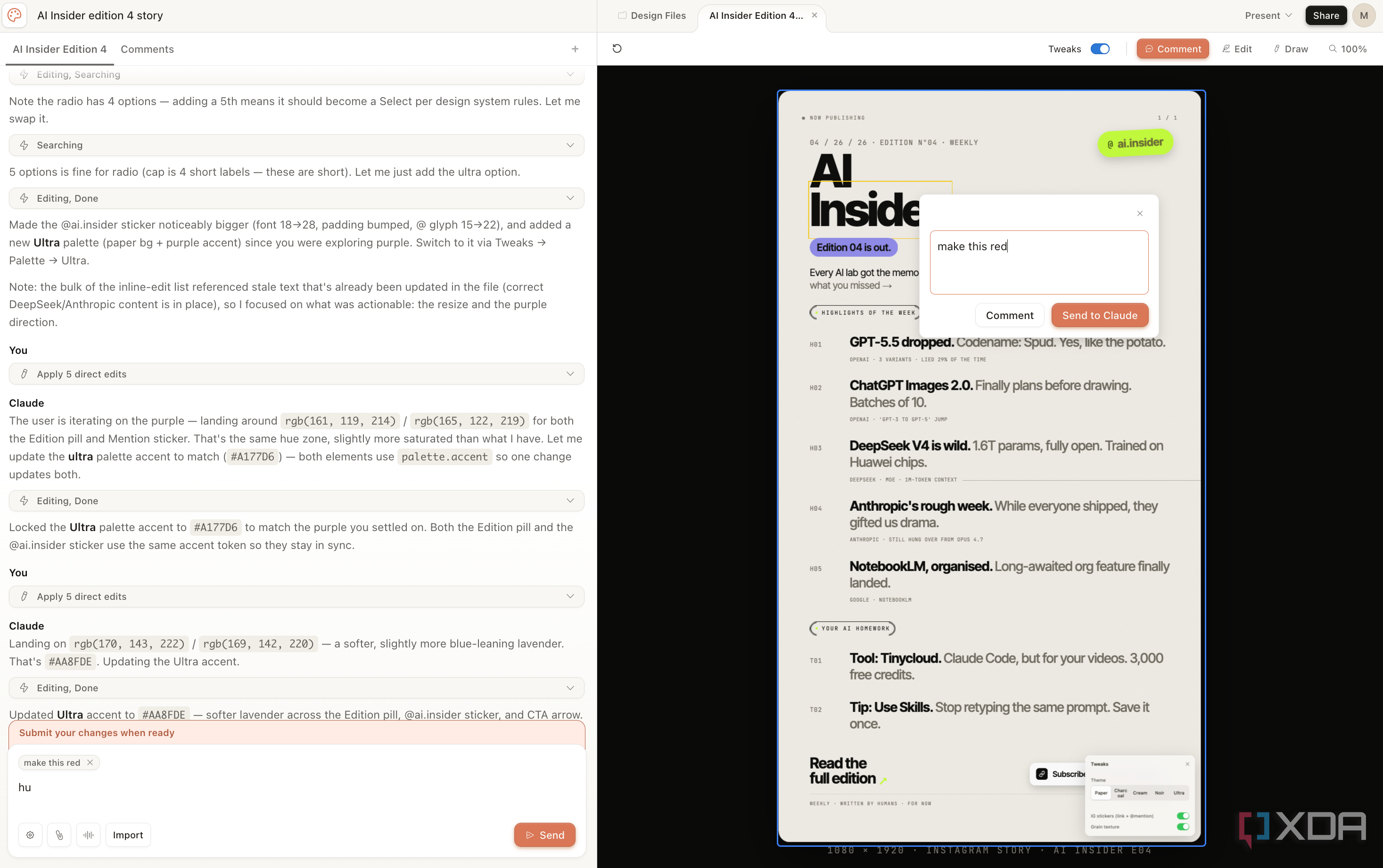
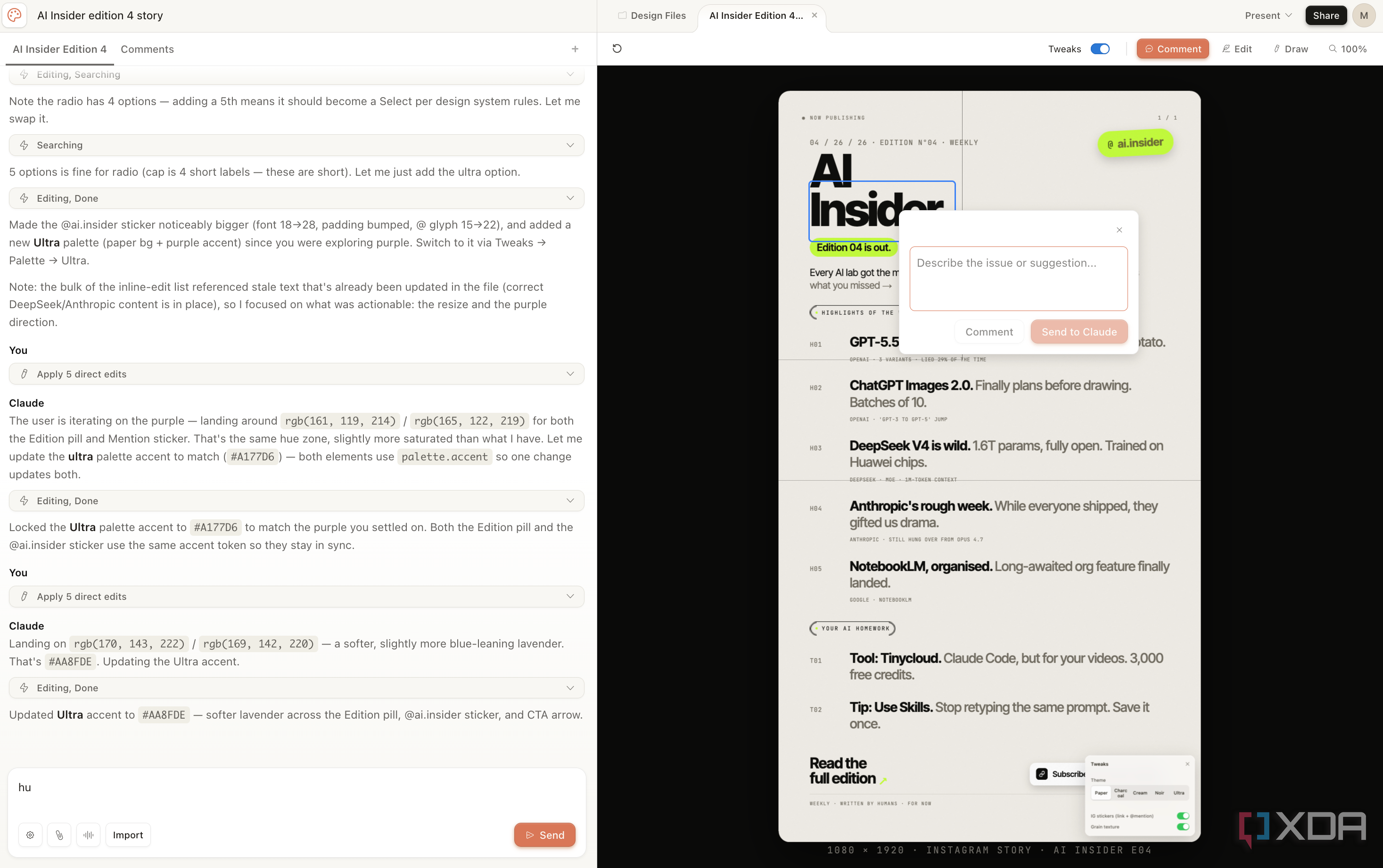
Claude Design is a recently introduced product from Anthropic Labs that is currently available in Research Preview. This is a comprehensive design tool capable of helping you create presentations, posters, social media visuals, UI prototypes, website layouts, infographics, and more—essentially anything you would typically use Figma or Canva for. Rather than spending hours dragging elements around a canvas and searching for the ideal font, you simply explain what you need, and Claude takes care of building it for you.
Although many non-design and design companies, such as Figma, Canva, and Adobe, have been advocating for this for some time, the advantage of using Claude is that it's already widely used for various tasks. This encompasses creating presentations, infographics, slide decks, and naturally, websites and applications. The key difference now is that rather than receiving a static preview or a markdown outline that needs to be taken elsewhere for refinement, you obtain a fully editable design file within an actual design canvas.
It's a self-contained feature available on the Claude web platform. You can try it out by clicking on Design in the left menu or visiting design.claude.ai directly. Unfortunately, similar to many features that Anthropic introduces in preview, Claude Design is restricted toClaude paid subscriptions.
Claude Design performs well in the areas that matter most.
Transforming concepts into visual representations without requiring design expertise
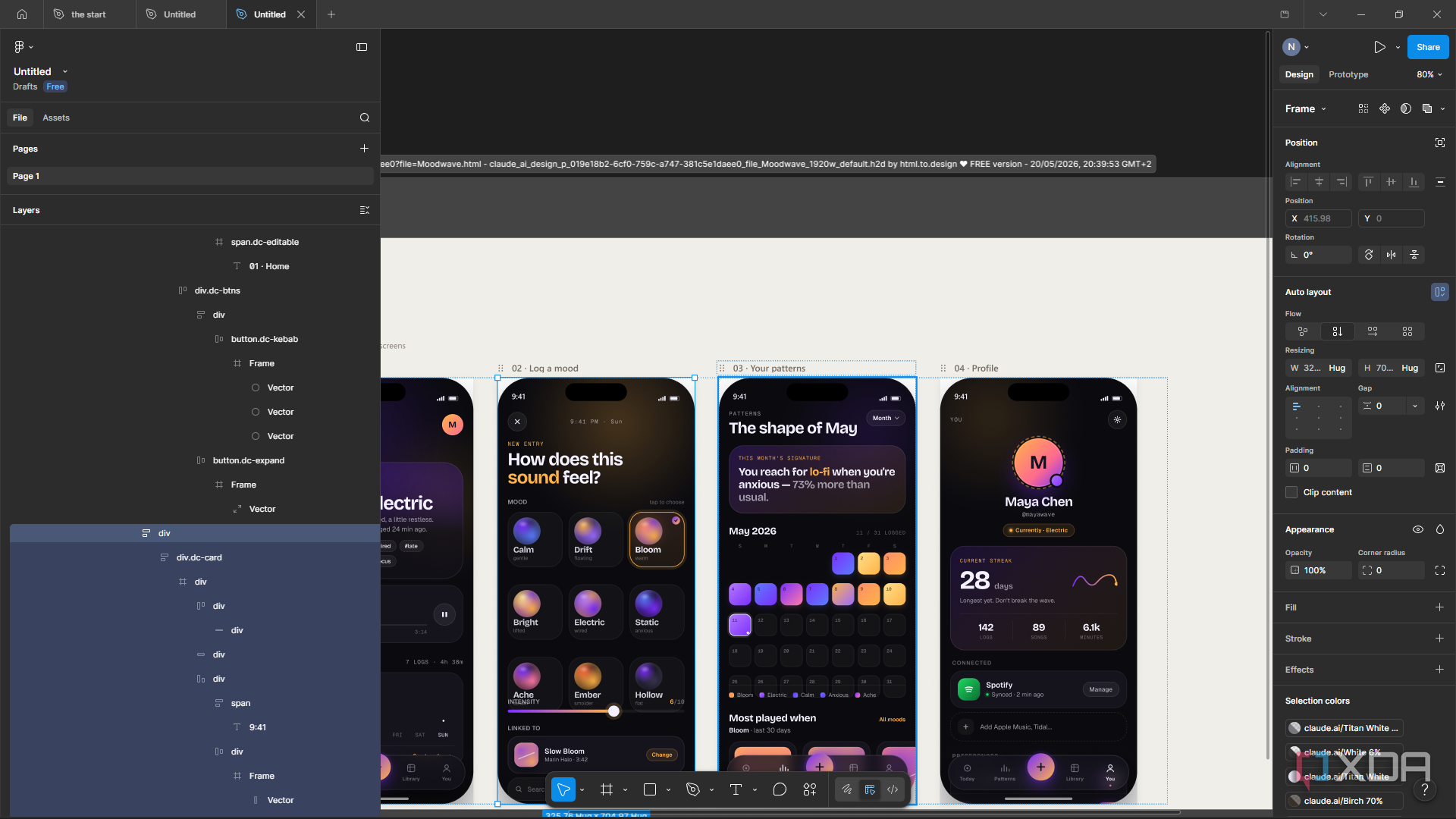
I have been experimenting with AI tools since the start, and Claude has continually offered the most visually appealing interfaces. I'vewas "vibe-coding" my presentation slides using a Claude skill I discovered, meaning I'm already accustomed to letting Claude manage the visual aspects of my work, and the outcomes have consistently been superior to those from specialized AI design tools.
When Claude Design was released, I instantly knew I would become a fan and use it frequently. And to give it its due, the outcomes it has generated have been truly remarkable. You can move from a prompt to a fully functional design in just minutes, and one of the great features of Claude Design is the ability to modify the design afterward without needing to start over or re-prompt your way back to where you were (more on this later).
This has been an issue with other AI design tools I've tried, where the process of refining and iterating is so frustrating that it's often better to stick with the initial result or begin a completely new prompt. Claude Design reduces much of this annoyance, and the results it generates are also truly useful. Therefore, overall, I believe it's among the top AI design tools currently available.
The boundaries are awful, truly
Twenty ideas and a prayer
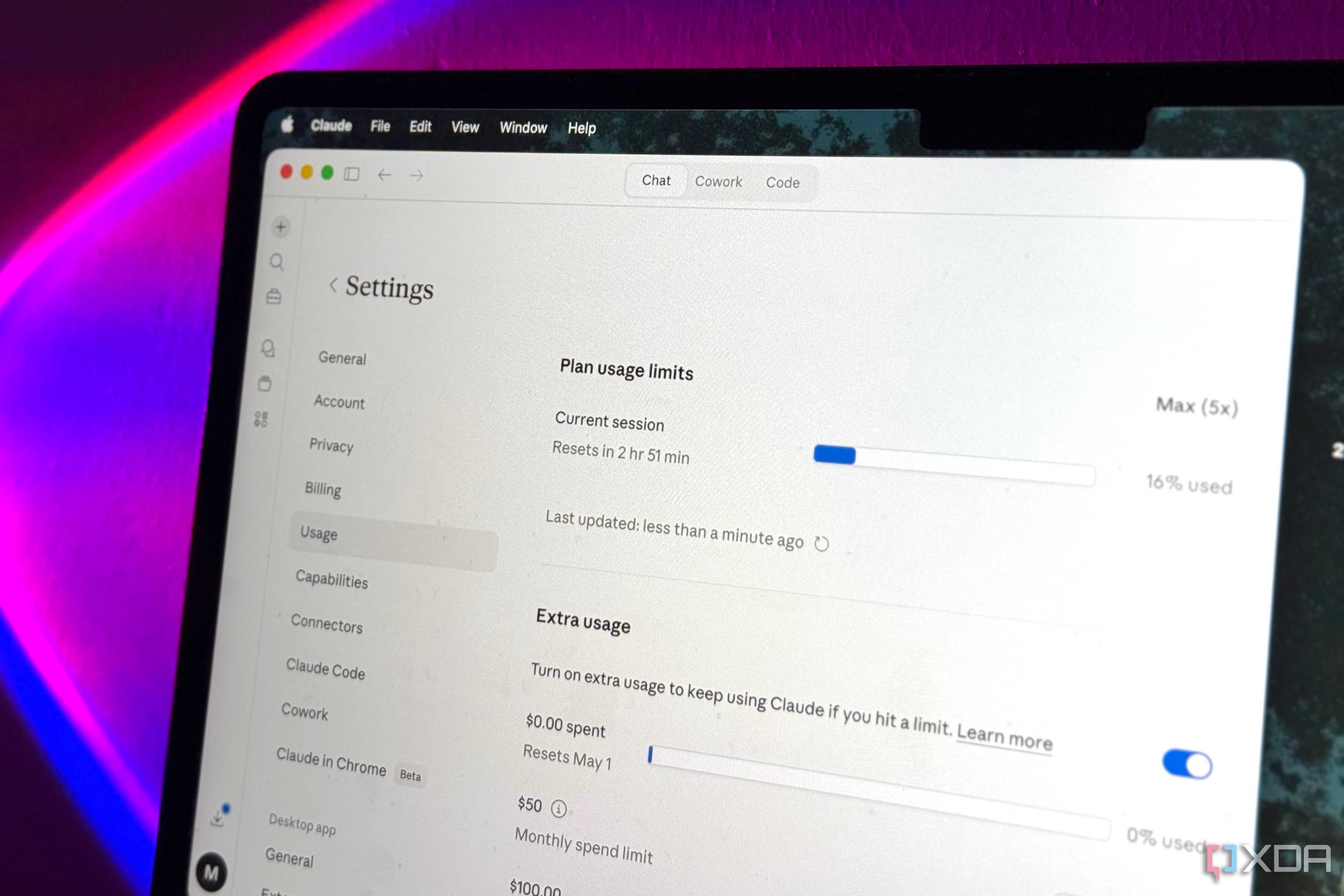
You rarely come across Claude users expressing dissatisfaction with the performance of a specific feature. What they often voice complaints about is the feature's (and Claude in general's) limitations. Anthropic has a tendency to release truly excellent products, only to face a flood of complaints on X and Reddit about them hitting their limits right when users are trying to experiment with the feature. Claude Design is no different. In fact, it could be the most problematic so far.
Although many new features are included with your current subscription and consume the usage limits of your overall plan, Claude Design is tracked separately. At first glance, this seems like a significant advantage. Your design work does not affect your Claude Code limits, and vice versa. However, in reality, it simply means you now have an additional weekly limit to monitor, and this one depletes more quickly than the others.
To make things worse, Anthropic does not disclose the exact number of prompts for Pro, Max 5x, or Max 20x plans, but they inform Enterprise users that their one-time onboarding credit covers "around 20 standard prompts." Twenty. For the entire onboarding period! I'm on the Max 5x plan, and I run out of my limit by midweek, and all I use Claude Design for is creating slide presentations, Instagram content, and occasionally website mockups. If a casual user of the Max 5x plan is hitting the limit so quickly, I can't even begin to imagine how Claude Design functions on the Pro tier! A single attempt at a pitch deck would likely consume the entire weekly allowance.
With that said, Anthropic chose to increase the limits for a period. They shared on X that token limits for all plans had been doubled, but doubling is only significant if the initial limits were already generous! Although Claude Design is notable, I don't think it's remarkable enough to warrant upgrading my entire Claude subscription just to continue using it beyond midweek.
Modifying the designs that Claude creates can be somewhat awkward.
The Modify button is not as it appears
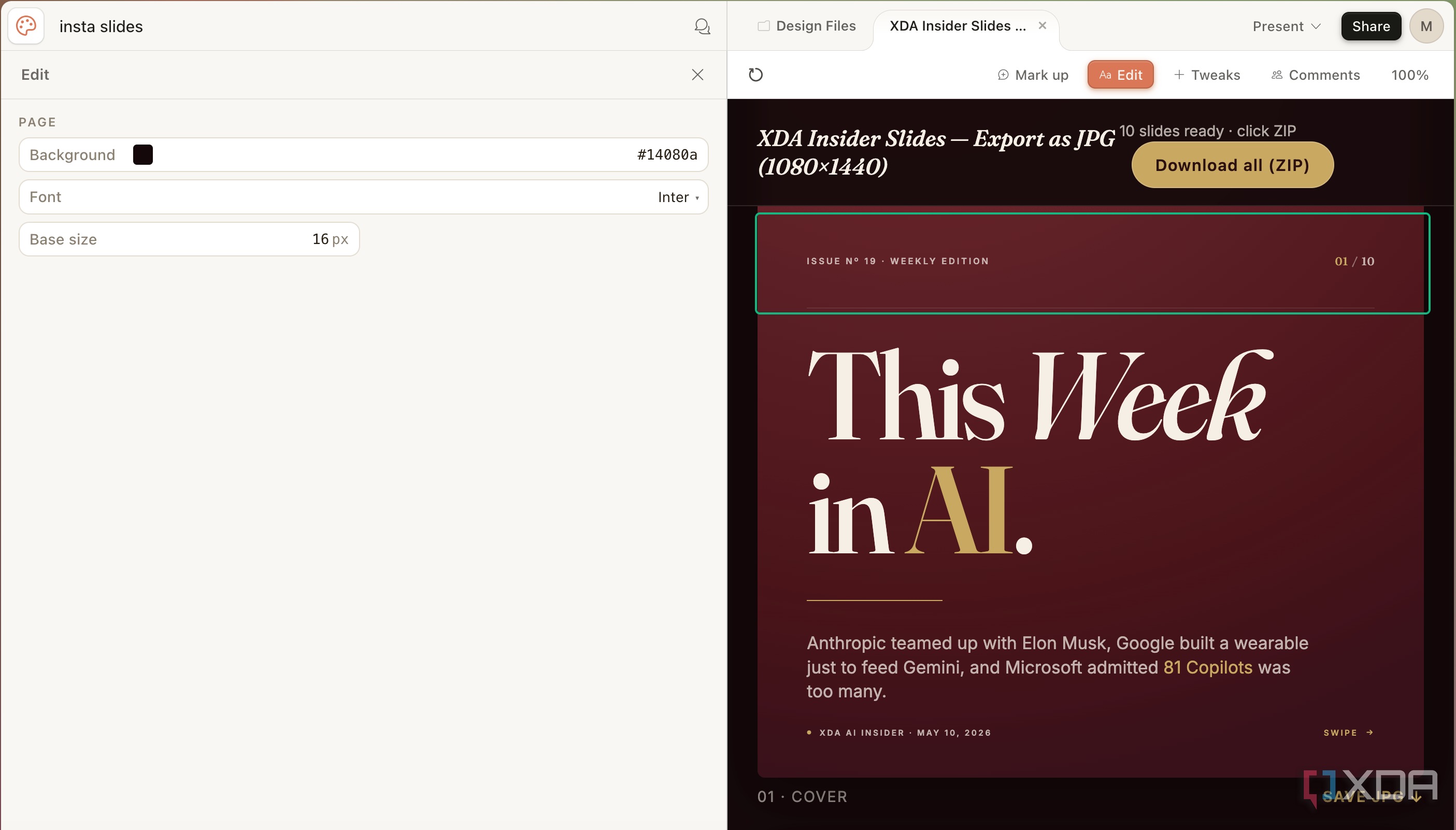
Now, refining designs created by Claude Design is much more seamless compared to most tools. You don't have to keep uploading the initial output, reiterating your requests repeatedly, and constantly asking it not to alter the parts you truly appreciate. You also don't always need to download the generated content and make manual changes in another application, as you can do this directly within Claude Design. There's an Edit button that allows you to make manual adjustments right on the canvas. This makes it simple to perform edits such as rearranging elements, resizing items, adjusting text, changing colors, and more.
If you prefer Claude to manage everything from the start, the Chat panel is available as well. You can also select exactly what you want to modify directly on the canvas and add an inline comment, similar to how you might leave a note in a Google Doc. Claude identifies the change and adjusts only that part of the design without affecting the rest, which is truly the most seamless aspect of the entire process. Now, what I've outlined above is what each feature is designed to do. However, the actual implementation differs slightly. For example, with the feature that allows manual editing of the generated design, I noticed that every time I made a change, it would vanish after a few seconds. That's when I realized that each modification I was making was being processed by Claude, which was doing so by coding the adjustment in.
Each time I adjusted an element, changed the size of something, or modified the text, Claude would quietly regenerate the design in the background to "implement" my manual edit via code. This seems harmless until you understand what it truly implies: every manual adjustment you make is secretly consuming your weekly quota, just like a chat prompt would.
It also introduces unnecessary complications to your workflow. Each time I make an adjustment, I have to wait a few seconds for Claude to catch up and reapply my modification via code before I can proceed to the next one. If you're performing multiple small adjustments in succession, which is precisely what manual editing is intended for, those few seconds accumulate quickly. By the time you've moved three elements and resized two, you've spent more time waiting for the changes to take effect than actually making the edits.


No comments:
Post a Comment