
Do RCA to HDMI converters improve video quality? Here's what they do & don't do
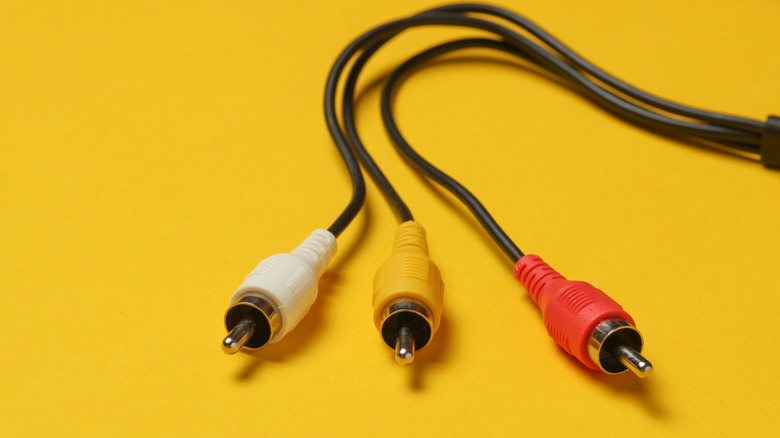 The allure of nostalgia is undeniable, but revisiting cherished memories through older technology often presents a significant hurdle. The relentless march of technological progress creates a widening chasm between generations of devices, making it increasingly challenging to seamlessly integrate vintage tech with modern setups. Many have likely experienced this firsthand when attempting to pair an old iPod with contemporary Bluetooth headphones, or when trying to relive gaming glory with a retro console that lacks modern connectivity. The fundamental issue often lies in the disparate connection standards: older consoles and media players frequently employ connections that are no longer standard on today's televisions, transforming a simple setup into a complex puzzle.
This is precisely where adapters and converters become invaluable tools. The vast majority of modern televisions feature at least one HDMI input, a universal standard for transmitting both audio and video signals. Anyone who has connected an eighth or ninth-generation console to their TV has undoubtedly utilized an HDMI cable. However, a multitude of older consoles predates the advent of HDMI, relying instead on alternative connections such as optical or RCA. Consequently, if you wish to connect an older console, one equipped with RCA output, to a modern television, an RCA to HDMI converter becomes an essential piece of equipment.
RCA to HDMI converters serve a crucial function: they take the analog audio and video output from your older devices and transform it into a digital format compatible with newer, HDMI-equipped electronics. Beyond mere signal conversion, many of these devices are capable of upscaling the input signal to resolutions like 720p, 1080p, or even 4K. Some converters also offer the enhancement of increasing the refresh rate to a smoother 60Hz. It's important to temper expectations, however; while these converters can improve compatibility, they don't magically bestow modern graphics capabilities upon older hardware. The original output from devices using the familiar red, white, and yellow RCA cables typically maxes out at a resolution of 480p. Therefore, any enhancement beyond this point involves processing, which, like all processing, comes with its own set of advantages and disadvantages.
The Trade-offs of Signal Conversion
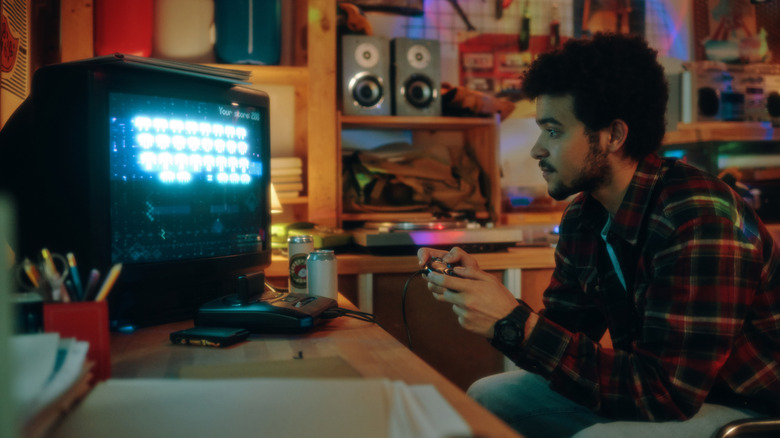 While the primary role of an RCA to HDMI converter is to bridge the gap between analog and digital signals, a secondary, often equally important, objective is to enhance the output resolution to better suit the larger, higher-definition screens of contemporary televisions. This upscaling capability is particularly beneficial when connecting older consoles, such as the Nintendo 64 or PlayStation 2, which typically operated at resolutions around 240p or 480p, to modern TVs that commonly display content at 1080p or 4K. However, this pursuit of higher resolution is not without its costs, both in terms of financial outlay and potential compromises in performance.
The price of RCA to HDMI converters can vary significantly. Some basic models can be acquired for a modest sum, while premium, feature-rich options, like the RetroTink-4K Pro, can command prices upwards of $750. Beyond the financial investment, a notable concern for many users, particularly retro gamers, is the introduction of input lag. This delay between inputting a command and seeing it reflected on screen can significantly detract from the gaming experience. The combination of a potentially high price tag and the risk of input lag leads some enthusiasts to forgo converters altogether, opting instead to acquire a vintage CRT television that natively supports RCA connections without introducing any processing delays.
It's also crucial to understand the limitations of these converters. They can only work with the signal they are provided. In essence, they cannot miraculously transform the graphics of older games into the crisp, high-definition visuals found on modern displays solely through the conversion process. Similarly, using a converter with a VCR player will not elevate the visual quality of a movie on a worn VHS tape to the standard of a Blu-ray disc, even if the converter boasts an upscaled output of 1080p.
Upscaling: Enhancing Visuals with Limitations
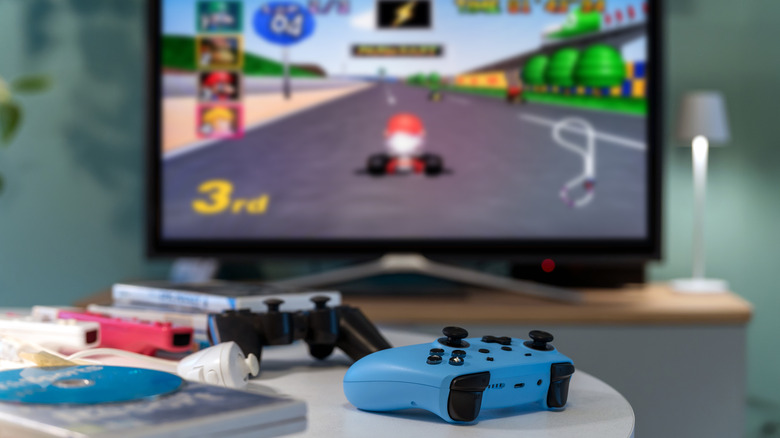 Generally, when an RCA to HDMI converter advertises native 1080p or 4K output, it implies that upscaling is being employed. This process aims to improve image quality by ensuring that the connected television or monitor receives a native-resolution signal that it can readily display. The effectiveness of this upscaling can vary depending on the specific converter and the source device being used. In ideal scenarios, upscaling can result in a crisper, clearer, and more vibrant image compared to the original output.
However, the quality of upscaling is not uniform across all devices. Premium upscalers can indeed produce remarkable results, but the success of the process is also heavily dependent on the amount of pixel information available in the original signal. Lower-resolution outputs, such as those generated by retro consoles, may not always upscale gracefully. This can lead to the appearance of visual artifacts, such as jagged edges or blocky textures, and general distortion, which ultimately detract from the overall image quality. Furthermore, it is essential to select a converter that outputs your display's native resolution. Having both the converter and your television attempt to upscale the same image simultaneously can have a detrimental effect on visual fidelity.
Interestingly, some argue that the inherent fuzziness and lower resolutions of older video formats, like composite video, can actually be more forgiving for the graphics of yesteryear. This softer presentation can mask technical limitations, particularly in older 3D graphics. For instance, the low-polygon models of games from the PlayStation or Nintendo 64 era might appear smoother at their native resolutions. Attempting to sharpen these images can, conversely, highlight the distinct characteristics of older graphics, such as aliased edges and blocky geometry, which might not be as appealing to modern eyes.
Post a Comment for "Do RCA to HDMI converters improve video quality? Here's what they do & don't do"